
⭐ Debris

DRE adds support for Local Debris flags on track
- Debris zones are collected by all DRE drivers in your session and shared across to provide even better overview of slippery sections.
- Once a debris zone converts to “a part of the track”, meaning it’s no longer flagged by the sim, DRE will continue to treat this as a debris zone until either condition is met:
- 30 minutes elapse
- 30 car passes through the zone
- The Analytics Track Map will indicate red/yellow striped areas to indicate current debris zones
- Ask for debris
- Use voice commands to get the overview
- Ask using either
Where is there debris now
Where is the debris currently
Where is the debris
Any debris I should know about
Any debris on track
Status/Check on debris
Debris check/status
Where should I watch for debris
- Get verbal alerts for debris
- Immediately before, approaching a debris zone, DRE will tell you
Watch out for debris aheadand similar - Whenever any new debris zone appears anywhere on track
- DRE will continue to warn for upcoming debris zones (new or existing) for:
- 1 pass (Free users)
- 3 passes (Essentials users or higher) – Customizable between 0 and 20 passes in
Session -> Events -> Flags -> Debris Passes
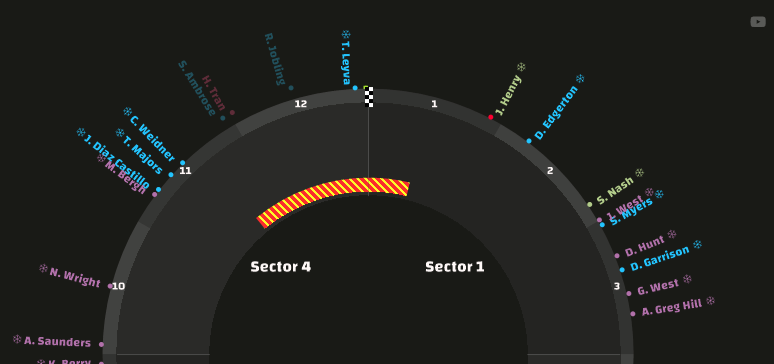

- Immediately before, approaching a debris zone, DRE will tell you

