
v2024.2.1.4:
DRE 2024.2 has arrived! 👋
Below are the main highlights of the latest major release to DRE, version 2024.2 🚀
⭐ Multi-Sim: ACC
DRE now supports the following simulators:
- iRacing (Primary)
- Assetto Corsa Competizione (ACC) (Secondary)
DRE supports multiple simulators and will primarily track iRacing’s features and available commands.
Other simulators are supported only for the subset of features common with iRacing, without unique features of other simulators.
Support for Assetto Corsa Evo is the next in line
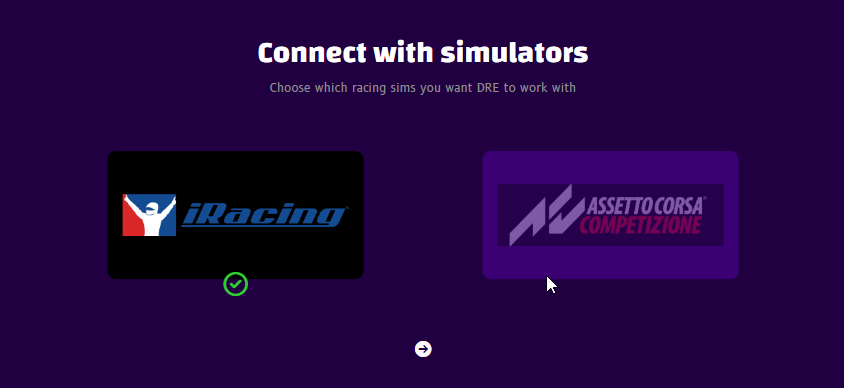
Enable ACC in DRE in two ways:
- Redo the Get Started Wizard from
Settings -> General -> Start Wizard - Enable Assetto Corsa Competizione from the
Settings -> Sim Connection -> Racing Simulatorsdropdown
⭐ Spanish, Portuguese, and Brazilian Localizations
Spanish ❤️💛️❤️
¡DRE ya está disponible en español! Puedes hablar con DRE usando tu idioma nativo y escuchar comentarios y alertas también en este idioma.
Portuguese ❤️💚
O DRE já está disponível em português! Pode falar com o DRE usando o seu idioma nativo e ouvir feedback e alertas também neste idioma.
Brazilian Portuguese 💛💚💙
O DRE já está disponível em português! Você pode falar com o DRE usando seu idioma nativo e ouvir feedback e alertas também neste idioma.


⭐ App Localization
- The DRE app and its UI is now translated to all 7 languages
- This also includes notification messages, tags, settings, and variable comments
- You can choose to keep the UI in English, or translate the app texts as well, by adjusting
Settings -> General -> Translate UI(defaults to English)
Hot 🔥 // ❄️ Cool Lapping
Avoid getting called out during practice and quals – let DRE be your heads up in hot / cool lap situations!
I’ve worked hard on a new features that let you stay on top of who’s hot-lapping and who’s on out-laps or cool-laps
Available during practice and qualification runs to inform you when you need to take action

⭐ Hot Lapping Opponents Alert 🔥
- Hear hot lapping opponents approaching while you’re cool-lapping (on your out-lap, or circling slow lap)
- DRE will tell you who behind you need to let by
- If a group approaches, DRE will mention the number of cars to let by
- Examples heard:
Let him by,Hamilton is hot-lapping, and many more - Adjust the alert in
Session -> Events -> Hot Lapping Opponents (Alert)
⭐ Cool Lapping Opponents Alert ❄️
- Hear cool-lapping opponents (out-lap, or circling slow lap) approaching while you’re hot-lapping
- Logic is similar to the Hot Lapping Alert, only reversed between you and opponents.
- Use this to ensure a (hopefully) easy pass on the cool-lapper ahead
- Examples heard:
He needs to let you by,Hamilton is on a cool-lap, and many more - Adjust the alert in
Session -> Events -> Cool Lapping Opponents - Available for Essentials+ subscriptions
⭐ Hot Lapping Opponents Signal 🔥
- Avoid getting called out, let DRE be your heads up
- Hear two alternating warning tones of hot-lapping opponents approaching while you’re cool-lapping (on your out-lap, or circling slow lap)
- The tones gradually increase in intensity and clearness while the opponent gets closer to your car
- If you either outrun the hot-lappers or seem to be on pace with them, you back off, or they complete the overtake, then the Signal will stop
- In other words, it’s only active while you’re not acknowledging the situation in you’re in
- Adjust the signal in
Session -> Events -> Hot Lapping Opponents (Signal) - Available for Performance+ subscriptions
⭐ Driver Chat Command
- Start a new text chat in-sim with another driver
- Use the
Chat with {DRIVER} ...orWrite to {DRIVER} ... - For future replies, use the
Start reply with ...as usual - Fixed a few issues with dictation commands
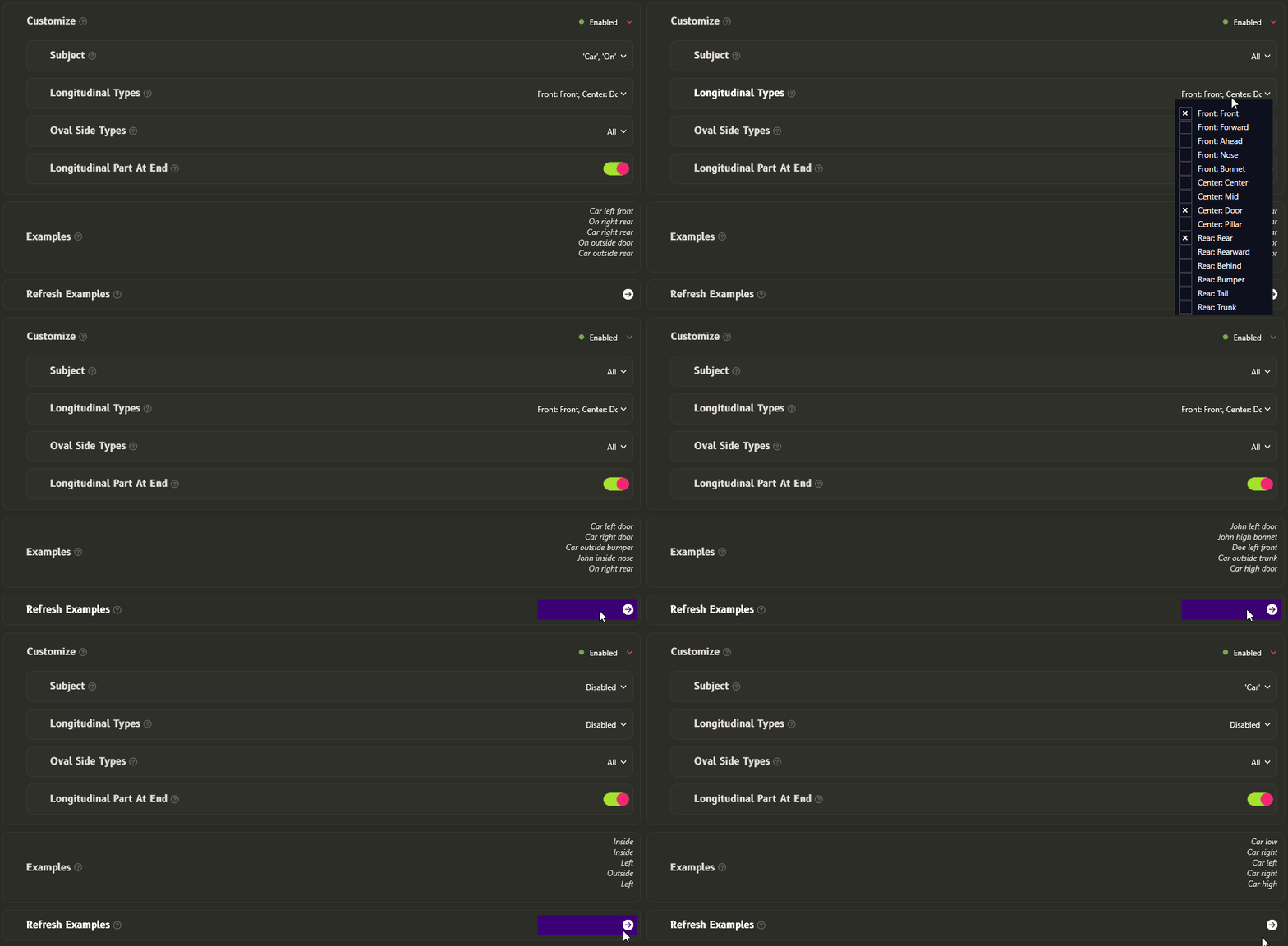
⭐ Customizable Overtake Alerts
- Take full control of Overtake Alerts
- Added options to select exactly what you want to hear, and simplify alerts (“Car left/right/clear” only)
- Full control over voice callout components:
- Subject terms (“Car”, “On”, opponent name, or nothing)
- Position markers (front/rear)
- Oval track terms (high/low, inside/outside)

⭐ Admin Command Confirmations
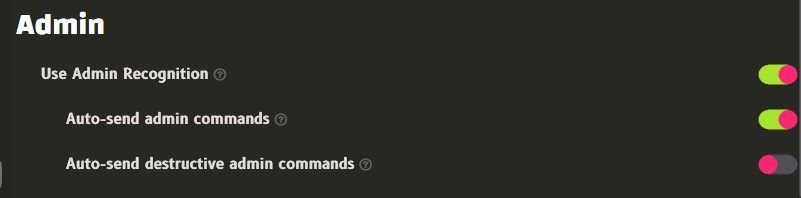
In order to prevent false positive speech recognitions from going rogue and causing havoc, the following changes have been implemented for admin voice commands:
- All admin commands can now be held for confirmation before committing in the sim
- Admin chat messages will now be drafted in the active sim chat, but not sent (use
Send chatto confirm and send) - Non-destructive admin commands like
admin open pits,admin clear all, etc. can be held by disablingSettings -> Sim Connection -> Admin -> Auto-send admin commands(this setting is enabled by default) - Destructive admin commands like
admin close pits,admin black flag car 33, etc. can be held by disablingSettings -> Sim Connection -> Admin -> Auto-send destrucive admin commands(this setting is disabled by default)
⭐ UI Selector color indicators
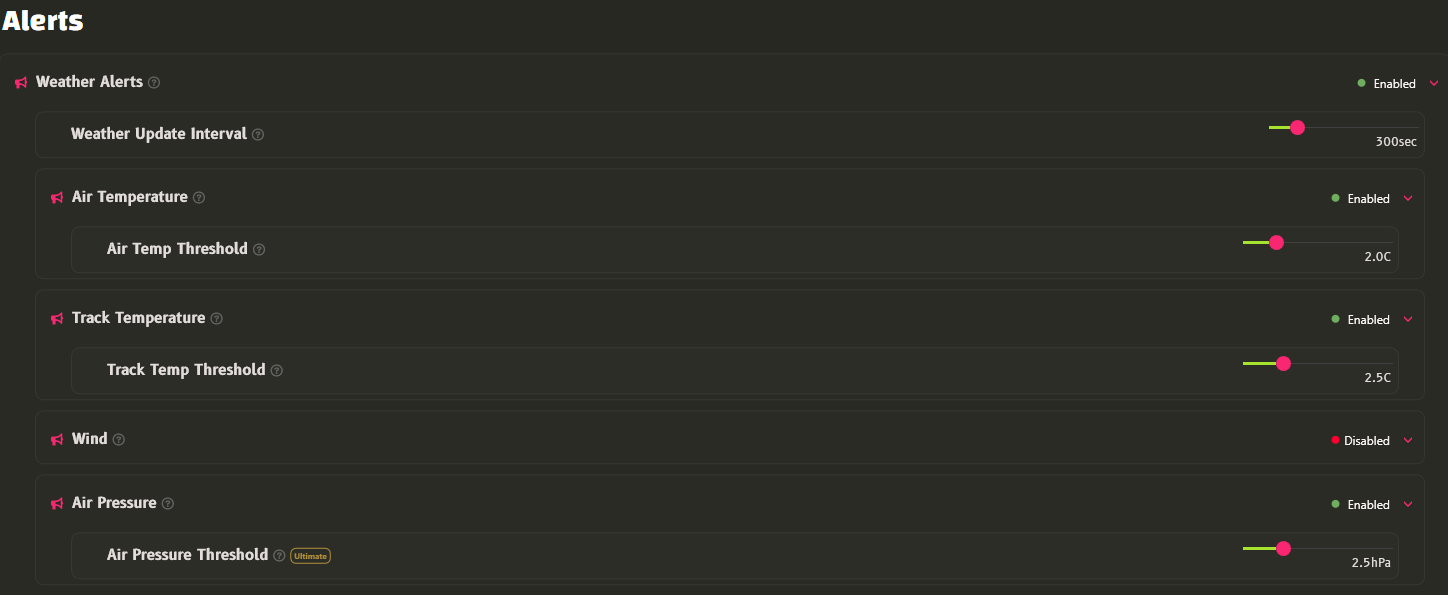
Get a quick overview of enabled/disabled features, with the new color indicators

🟢 when the selector is set to Enabled
🔴 when the selector is set to Disabled
No indication when set to either Road or Oval
⭐ Improved UI
- Added guidelines, borders and indentations to UI elements and options, to help the eyes navigate the app
⭐ Override Simulator Units
- Select which units DRE should display and speak.
- Auto: Follows what the sim outputs (Defaults to this)
- English: Gallons, Pounds, Feet and Miles
- Metric: Liters, Kilos, Meters
- Adjust in
Settings -> General -> Units
⭐ Gridding: Fuel Needed amount
- DRE Essentials+ racers can now hear the expected fuel usage for the race as they grid
- This alert, when enabled by the Grid Fuel Alert, will tell you the estimated fuel needed to finish the race
- Adjust it in
Fuel -> Low Fuel -> Fuel Needed
⭐ Pit Service Countdown
- Let DRE tell you the remaining time of the ongoing pit stop
- This includes fuel, tires, and required repair times
- Adjust it in
Pit -> Pit Stall -> Pit Service Count Down
⭐ Auto Fuel Hysteresis
- Adjust the amount of fuel difference needed to trigger auto fueling adjustments, between what’s set to be filled at the next stop versus the newly calculated auto fueling amount.
- This affects Auto Fuel re-calculations only.
- Any changes to fuel to be filled compared to the current fuel set will be checked against this hysteresis.
- If the new difference is more than the hysteresis amount, DRE will trigger a new auto-fueling
- Defaults to 1 liter hysteresis.
- Adjust it in
Fuel -> Auto Fuel -> Auto Fuel Hysteresis
⭐ Auto Fuel Alerts
- It’s now possible to toggle auto fuel alerts on/off
Fuel -> Auto Fuel -> Auto Fuel Alerttoggles the initial auto fuel applicationsFuel -> Auto Fuel -> Auto Fuel Adjustment Alerttoggles the follow-up auto fuel applications after the initial one
⭐ New Commands
Pit time loss: Tells you the general pit time loss compared to driving by on track, as well as the expected time lost in total for your next pit stop, using the current pit service selectionsHow long will the pit stop take: Tells you the estimated pit stop time. You can ask it before or during the pit stopMaximize fuel: Sets pit stop fuel to the maximum available amountNext/Previous Black Box: Toggles between adjacent black boxes using the incremental steps
⭐ Signals Now Playing
- See which Signals are currently emitting sounds
- 3 ways to get an overview:
- Hover the audio output level meter

- Go to
Sound -> Output -> Signals

- Check each setting and spot the Power-on icon (green circle with vertical line)

🔄 Team Data Sharing
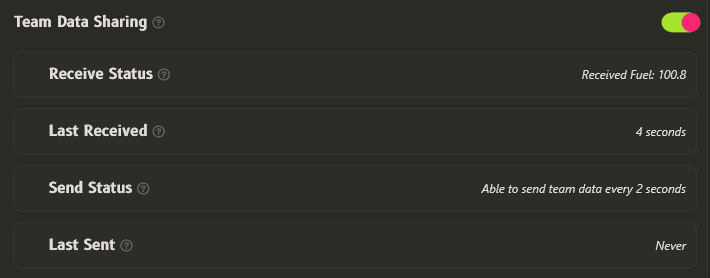
- Added toggle to turn on/off Team Data Sharing between your DRE instance and your teammates connected to the same session and car, in a team session.
- Find it in
Session -> Team Racing -> Team Data Sharing - With the new overview, it should be more transparent when a connection to car data is established. While the Receive and Send Statuses only mention the Fuel, a lot of other car data points are shared, such as tire data and car health.

