
⭐ Mute Windows mic when DRE speaks
- Adds an opt-in Sound/Input setting that temporarily mutes the default Windows communications microphone while DRE or the spotter is speaking
- Restores the microphone shortly after DRE finishes speaking, with safety checks so DRE only restores a mic it muted itself
- Useful for open-mic Discord, iRacing voice chat, OBS, and other apps using the Windows communications input device
- Disabled by default; enable it in Sound -> Input -> Mute Windows mic when DRE speaks
⭐ Preferred GPU selection for Local Neural Recognition
- Added a Preferred Local AI GPU setting for Local Neural Recognition so multi-GPU PCs can choose which GPU DRE should use for local speech recognition and future AI work.
- You can leave it on Default GPU for the normal Neural Recognition behavior, or pick a specific internal or discrete GPU when DRE detects more than one physical GPU.
- The setting only appears when Local recognition is selected, and your runtime order includes CUDA or Vulkan.
🔄 Safer Local Neural Recognition GPU fallback
- Improved Local Neural Recognition startup so DRE resets the selected GPU back to Default GPU if that GPU cannot be used.
- DRE will not silently use a different selected GPU when the chosen adapter cannot be matched safely.
- Added clearer logs for the selected GPU, attempted runtime, resolved device, skip reason, and reset reason.
⭐ Custom League Classes
- Added a new Custom Classes tab in Session View so you can import class setups, inspect league configs, and manage class assignments directly in DRE.
- Assign drivers by simulator class, car number, Customer ID, or Team ID, then use Apply Now to activate the config for the current league or server.
- Custom class names and colors can carry into the live roster and Analytics, so multi-class fields are easier to read the way your league actually races.
- Essentials live editing stays protected. Users without access can still inspect imported data in read-only mode.


⭐ Added Assetto Corsa Evo

- DRE now supports Assetto Corsa Evo in early access.
- Current support is based on the data AC Evo exposes today. Physics and basic performance data are available, but opponent/session data is still limited.
- A full UDP connection is not available yet, which means DRE cannot currently receive the richer live race feed normally used for complete race engineering features.
- Not yet fully supported:
- detailed opponent tracking and relative race awareness
- complete timing, standings, and race-control events
- full fuel, pit, strategy, and stint calculations
- advanced spotter/race-engineer calls that depend on live multiplayer/session data
- Future work depends on further AC Evo telemetry/API/UDP support from the simulator.
- Enable it from
Settings -> Sim Connection -> Simulators.
⭐ New simulator supported: Assetto Corsa (AC)
- The old school vibes are back! AC is now fully support on par with the existing ACC support
- Enjoy racing in modded tracks, cars, weird configurations all through Assetto Corsa
- DRE supports all sim modes such as Single-Player and Multi-Player
- Use DRE to control your pit stops in AC
- DRE navigates and adjusts the Quick Pit Menu for you
- See how to right here
- Have fun racing AC!
⭐ Learn and adapt to Incident penalty thresholds
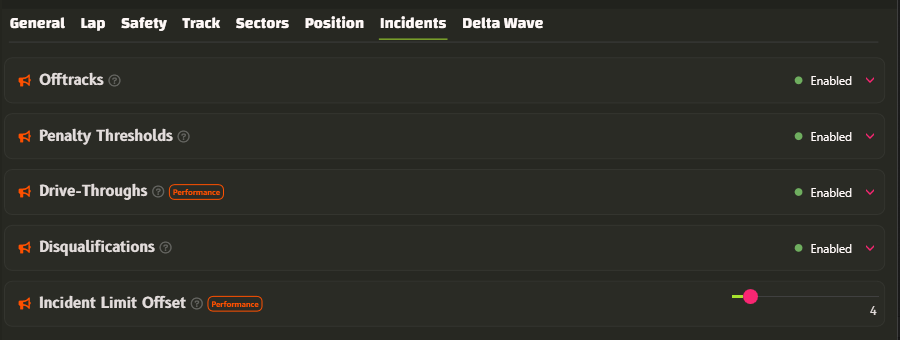
- Hear penalty incident thresholds for drive-throughs and disqualification.
- You hear these upon entering the race session when gridding, and when approaching the individual limits:
- Initial Drive-Through
- Subsequent Drive-Throughs (available with Performance tier or higher)
- Disqualification (driven by the existing
Disqualificationspreviously known asIncidents High)
🔄 Renamed Alert Incident Threshold
Alert Incident Thresholdnow goes under the nameIncident Limit Offsetto better describe its offsetting purposes.- It now affects not only the Incident Limit before Disqualification, but also the Incident Limit before Drive-Throughs.
🔄 Renamed Incidents High
Incidents Highis now calledDisqualificationsto better describe its meaning.
⭐ Create your own voice commands for actions outside the simulator.
Custom Commands can now send keybinds to other apps, such as OBS, Racelabs, SimHub, and similar tools.
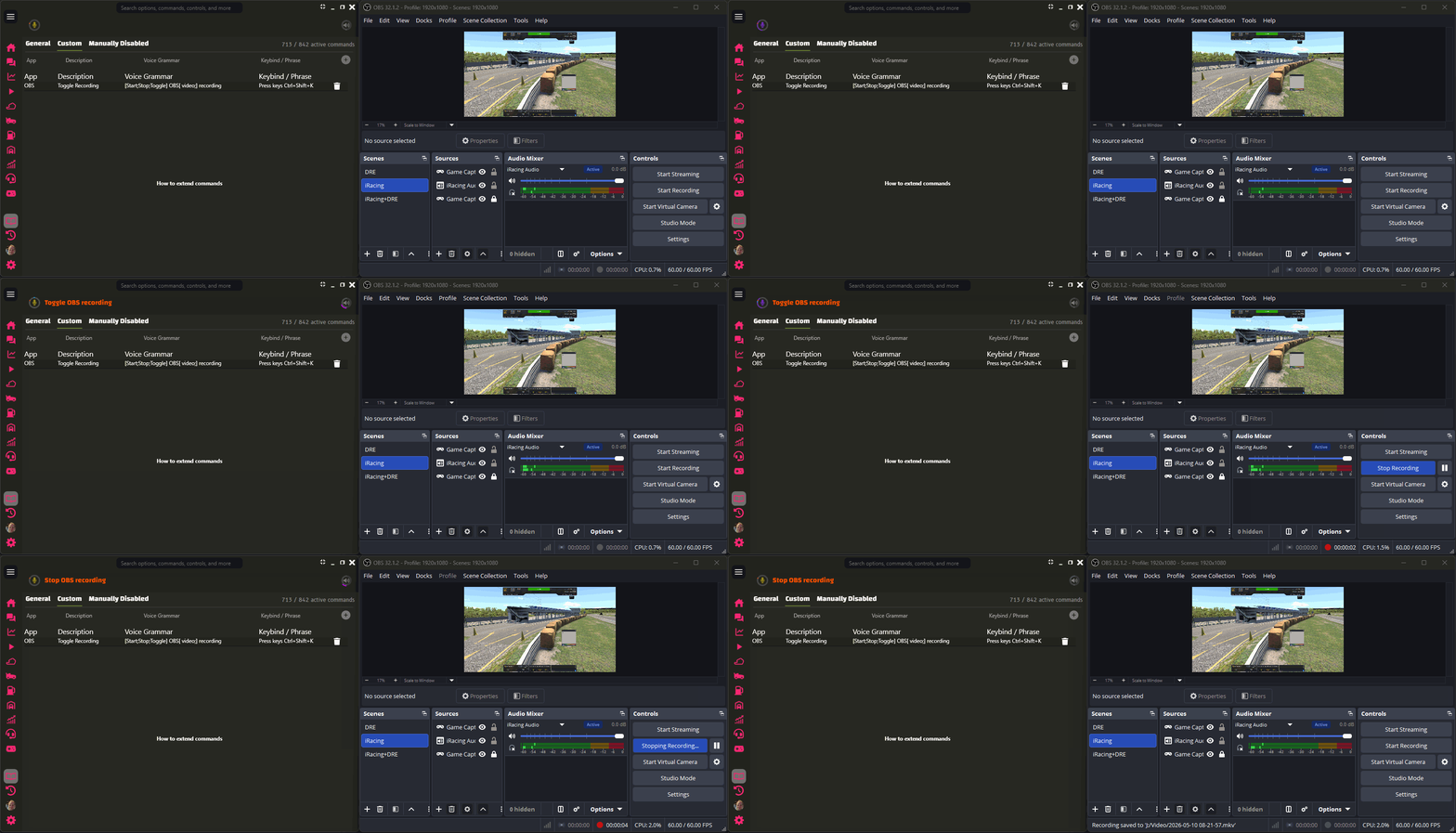

Use this for stream scenes, overlays, dashboards, or other external shortcuts without taking focus away from the sim.
You can also use DRE’s built-in external key command directly:
- Press keys
- Press keys
to
- Press keys
Examples:
- Press keys NumPad4
- Press keys Ctrl+Shift+K to obs64
The key combo must use the exact canonical key names DRE supports.
The optional to
part is a safety check. DRE checks that the named process is running before it sends the shortcut. Process matching is exact but case-insensitive, and .exe is optional, so obs64 can match obs64.exe. Important details:
- DRE does not focus or activate the target app.
- DRE keeps simulator focus.
- The target app must listen for global shortcuts.
- A successful key press is silent.
- Invalid key combos warn and send nothing.
- Missing target processes warn and send nothing.
- DRE and the target app must run with the same privilege level. If one runs as admin and the other does not, DRE warns and sends nothing.
- You can still use Custom Commands to trigger DRE’s built-in commands with your own phrases, so the wording fits how you actually talk while racing.
⭐ Braking Overlap Signal
- New coaching Signal that helps you hear when brake and throttle overlap during braking zones.
- You can use it to:
- clean up pedal inputs without staring at telemetry or the simulator pedal UI
- avoid re-applications of braking
- save fuel by essential short lift-and-coasting
- improve cornering consistency
- improve lap times
Pedal Overlap Thresholdis set to 2% to allow slight overlap. Ultimate subscribers can tune this setting.Pedal Overlap Ignored Carsis a filter to exclude certain cars from the signal. You can easily add additional cars.- Quick throttle blips for downshifts and early corner exit throttle are ignored.
- The Signal does not chatter through small throttle and brake changes during the braking zone after the Signal has sounded once.
- Enable and adjust the Signal in
Car -> Peripherals -> Braking Overlap
🔄 Neural Recognition is now fine-tuned for sim racing
- The local Neural Recognition models are now fine-tuned for sim racing scenarios, enhancing performance and accuracy.

- Some examples on how DRE now better understands and recognizes terms:
- "stent" -> "stint"
- "cap" -> "gap"
- "showtimeing" -> "show timing"
- "labs left" -> "laps left"
- Numbers!
- Small model makes 46% fewer recognition mistakes.
- Medium model makes 62% fewer recognition mistakes.
- What you say vs what’s transcribed correctly now occurs more than double as many times for small, triple for medium.
- Availablity
- Small and Medium model will be available going forward. Large local model has been deprecated due to size/quality ratio not improving enough and small and medium models out-performing the large model.
- Only Multi-Lingual models are now available, as they have shown to be as good, or even better than English-only model. Fear not if you see a Multi-Lingual model downloading.
- Note ⚠️️ Improvements are only for the local models.
- Cloud model improvements are pushed back to after feedback and iteration on these new local models.
- Thanks to contributors of voice data, DRE is now much better at not only understanding single terms better, but overall sentence structures relating to sim racing.
🔄 Optimized Neural Recognition
- DRE is now better at catching valid race requests that previously risked being rejected or misunderstood.
- The improvement is most noticeable on borderline phrases: weather questions, fuel page requests, pit fuel instructions, and incident limit questions.
- Valid DRE request recognition improved by about 4% in validation, while protection against unrelated speech stayed just as strong.
- Voice command handling is also leaner, saving roughly 150-200 ms by avoiding an extra recognition step before matching the command.
🔄 Improved Classic Recognition loading time
- Classic Recognition now gets ready much faster after connecting to a session.
- Measured loading time improved from about 39.5 seconds to about 14.5 seconds.
- That is roughly 63% less waiting time, or about 2.7x faster startup for Classic Recognition.
Based on Stable v2026.1.10 – see full stable changelog

